
Google Ads vs Meta Ads
Introduction
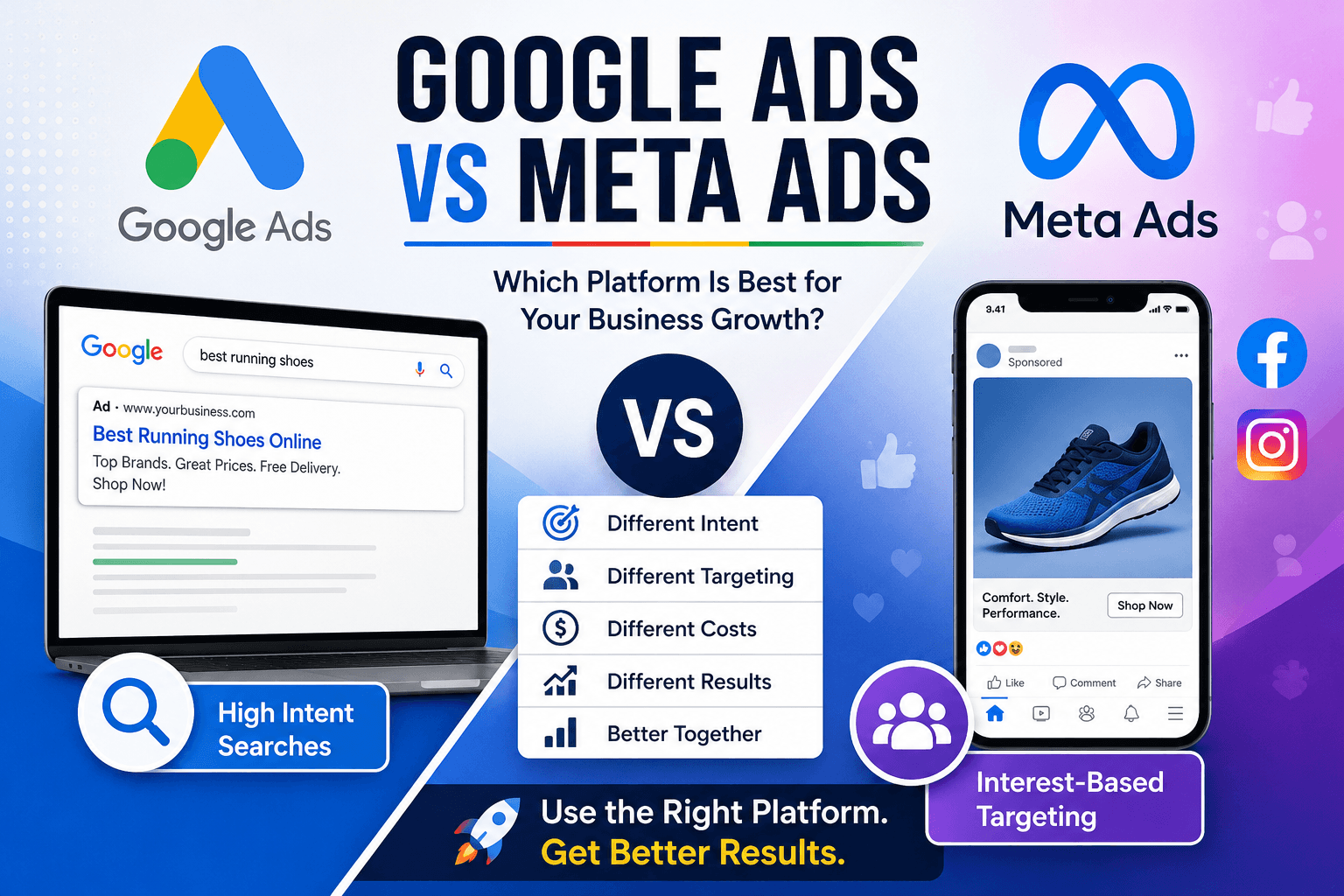
In today’s digital-first world, online advertising has become one of the most effective ways for businesses to generate leads, increase sales, and build brand awareness. Among the many advertising platforms available, Google Ads vs Meta Ads continue to dominate the digital marketing landscape.
But which platform is right for your business?
The answer depends on your goals, target audience, budget, and the type of products or services you offer. While Google Ads helps businesses reach customers who are actively searching for solutions, Meta Ads excels at creating demand through highly targeted visual advertising on Facebook, Instagram, Messenger, and Audience Network.
In this comprehensive guide, we’ll compare Google Ads and Meta Ads, explore their advantages and disadvantages, discuss when to use each platform, and explain how businesses can maximize their return on investment (ROI).
What Are Google Ads? and Meta Ads?
Google Ads is Google’s online advertising platform that allows businesses to display advertisements across:
- Google Search
- Google Display Network
- YouTube
- Gmail
- Google Maps
- Google Shopping
- Discover Feed
Google Ads primarily works on a Pay-Per-Click (PPC) model, meaning advertisers only pay when someone clicks on their ad.
The biggest advantage of Google Ads is that it captures high-intent customers who are already searching for products or services.
For example:
Someone searching for:
- Best SEO agency near me
- Buy running shoes online
- Affordable digital marketing services
is already interested in making a purchase or inquiry.
This makes Google Ads one of the highest-converting advertising platforms available.
What Are Meta Ads?
Meta Ads is Meta’s advertising platform that allows businesses to advertise on:
- Messenger
- Audience Network
Unlike Google Ads, Meta Ads focuses on interest-based targeting rather than search intent.
Instead of waiting for customers to search, Meta Ads places your products or services directly in front of potential customers based on:
- Interests
- Behaviors
- Demographics
- Online activity
- Purchase behavior
- Custom audiences
- Lookalike audiences
Meta Ads are especially powerful for visually appealing products and brand storytelling.
Google Ads vs Meta Ads: Key Differences
| Feature | Google Ads | Meta Ads |
|---|---|---|
| User Intent | High purchase intent | Discovery-based |
| Best For | Lead generation, local businesses, ecommerce | Brand awareness, engagement, ecommerce |
| Ad Formats | Search, Display, Shopping, Video | Image, Video, Carousel, Reels, Stories |
| Targeting | Keywords + Audience | Interests + Behaviors |
| Conversion Rate | Usually higher | Usually lower but scalable |
| CPC | Often higher | Usually lower |
| ROI | Excellent for high-intent searches | Excellent for audience building |
Advantages of Google Ads
1. High Purchase Intent
People searching on Google already know what they need.
This means higher-quality traffic and better conversion rates.
For example:
Someone searching “Emergency plumber near me” is far more likely to convert than someone casually browsing social media.
2. Immediate Visibility
Google Ads can place your business at the very top of search results within hours.
There’s no need to wait months for SEO rankings.
3. Excellent Lead Generation
Businesses such as:
- Lawyers
- Doctors
- Real estate agents
- Digital marketing agencies
- Software companies
often generate high-quality leads using Google Search Ads.
4. Multiple Advertising Formats
Google Ads offers:
- Search Ads
- Display Ads
- Shopping Ads
- Youtube Ads
- Performance Max Campaigns
- App Promotion Campaigns
This gives marketers enormous flexibility.
5. Local Business Advertising
Google Ads works exceptionally well for local businesses through:
- Google Maps Ads
- Local Search Ads
- Call Ads
Customers can directly call your business from the advertisement.
Advantages of Meta Ads
1. Highly Detailed Audience Targeting
Meta collects enormous amounts of user behavior data.
Advertisers can target users based on:
- Age
- Gender
- Interests
- Relationship status
- Job titles
- Shopping habits
- Education
- Device usage
This allows businesses to reach incredibly specific audiences.
2. Lower Advertising Costs
Compared to Google Ads, Meta Ads generally have:
- Lower CPC
- Lower CPM
- Lower Cost Per Engagement
This makes Meta an excellent option for startups and small businesses.
3. Strong Brand Awareness
Meta Ads are perfect for introducing new products.
Businesses can create visually appealing campaigns using:
- Videos
- Reels
- Stories
- Carousels
- Collections
Visual content captures attention more effectively than plain text.
4. Remarketing Opportunities
Meta Pixel enables businesses to:
- Retarget website visitors
- Recover abandoned carts
- Promote special offers
- Encourage repeat purchases
Remarketing often delivers one of the highest ROIs.
5. Social Proof
Users can:
- Like
- Share
- Comment
- Save
your advertisements.
This social engagement increases trust and improves campaign performance.
Which Platform Is Better for Ecommerce? Google vs Meta Ads?
The answer depends on the stage of the customer journey.?
Google Ads works best when customers are ready to buy.
Meta Ads works best when customers are still discovering products.
For ecommerce brands, combining both platforms often produces the best results.
Example strategy:
- Use Meta Ads for awareness.
- Retarget engaged users with Meta.
- Capture purchase-ready customers through Google Search.
- Recover abandoned carts using remarketing.
Which Platform Is Better for Local Businesses?
Google Ads usually performs better for local businesses.
Examples include:
- Restaurants
- Hospitals
- Dentists
- Salons
- Electricians
- Home repair services
Customers searching nearby often need immediate solutions.
However, Meta Ads can still help local businesses increase visibility through location-based campaigns and community engagement.
Budget Comparison
Google Ads generally costs more because advertisers compete for keywords.
Highly competitive industries like:
- Insurance
- Legal services
- Finance
- Real estate
may experience higher cost-per-click values.
Meta Ads often provide lower advertising costs, making them suitable for businesses with limited budgets.
Regardless of platform, success depends on campaign quality, audience targeting, and optimization rather than budget alone.
Best Practices for Google Ads
To maximize results:
- Research high-intent keywords.
- Write compelling ad copy.
- Optimize landing pages.
- Use negative keywords.
- Track conversions.
- Improve Quality Score.
- Test multiple ad variations.
- Review search terms regularly.
Continuous optimization leads to better ROI over time.
Best Practices for Meta Ads
Successful Meta campaigns typically include:
- High-quality visuals
- Short engaging videos
- Clear calls to action
- Mobile-friendly creative
- Audience testing
- Lookalike audiences
- Retargeting campaigns
- A/B testing for creatives and copy
Refreshing creatives regularly also helps combat ad fatigue.
Google or Meta Ads: Which Should You Choose?
Choose Google Ads if your goal is:
- Immediate leads
- High purchase intent
- Local services
- B2B lead generation
- Search-driven sales
Choose Meta Ads if your goal is:
- Brand awareness
- Community building
- Product discovery
- Social engagement
- Affordable audience targeting
For many businesses, using both platforms together creates a full-funnel strategy that reaches customers at every stage—from discovery to purchase.
Final Thoughts
Google Ads and Meta Ads are not competitors in the traditional sense—they complement each other. Google Ads captures customers with existing intent, while Meta Ads helps generate interest and nurture potential buyers through engaging content and precise audience targeting.
The most successful businesses often combine the strengths of both platforms. They use Meta Ads to build awareness and create demand, then leverage Google Ads to convert high-intent prospects into paying customers. By monitoring campaign performance, testing creatives, refining targeting, and optimizing landing pages, businesses can maximize return on investment and build sustainable growth.
Whether you’re a startup, local business, ecommerce brand, or enterprise, choosing the right advertising mix can significantly impact your marketing success. Start with clear objectives, understand your audience, and continuously optimize your campaigns to stay ahead in the competitive digital landscape.
Frequently Asked Questions (FAQs)
Is Google Ads better than Meta Ads?
Neither platform is universally better. Google Ads excels at capturing high-intent searches, while Meta Ads is ideal for creating awareness and reaching targeted audiences based on interests and behaviors.
Which platform offers a better ROI? Google vs Meta Ads?
For businesses targeting customers ready to buy, Google Ads often delivers a higher ROI. For brand awareness, engagement, and lower advertising costs, Meta Ads can provide excellent returns.
Can small businesses use both Google Ads and Meta Ads?
Yes. Even with a modest budget, combining both platforms can help businesses reach customers throughout the buying journey—from discovery to conversion.
Which platform is better for ecommerce?
A combination works best. Meta Ads helps introduce products and build interest, while Google Ads captures users actively searching to make a purchase.
How can I improve ad performance?
Focus on audience research, compelling ad copy, strong visuals, optimized landing pages, conversion tracking, A/B testing, and regular campaign optimization to achieve better results.
SEO Meta Title
Google Ads vs Meta Ads: Complete Guide to Choosing the Best Advertising Platform in 2026
SEO Meta Description
Compare Google Ads and Meta Ads in detail. Learn the key differences, benefits, costs, targeting options, and strategies to maximize ROI for your business in 2026.
Focus Keyword
Google Ads vs Meta Ads
Related Keywords
- Google Ads
- Meta Ads
- Facebook Ads
- Instagram Ads
- PPC Advertising
- Digital Marketing
- Online Advertising
- Google Search Ads
- Social Media Marketing
- Paid Advertising
- Lead Generation
- Ecommerce Marketing
Use up and down arrow keys to resize the meta box pane.Toggle panel: Yoast SEO
Optimize your content for discovery.
Focus keyphrase
Focus keyphrase
Use the main word or phrase you want your content found for across search, AI, and beyond. Learn more about best practices for keyphrases.(Opens in a new browser tab)
Discover related keyphrases(Opens in a new browser tab)
Search appearance
Determine how your post should look in the search results.Google preview
MobileGoogle preview: Switch to desktop preview. Currently showing mobile preview.
Desktop
Url preview:

websitesnew27.upskillrocket.help
SEO title preview:
Google Ads vs Meta Ads: Which Advertising Platform Delivers Better …
Meta description preview:
Jul 14, 2026 - Please provide a meta description by editing the snippet below. If you don’t, Google will try to find a relevant part of your post to show in the search results.
SEO titleInsert variableGenerate SEO title
Title Page Separator Site title
Slug
Meta descriptionInsert variableGenerate meta description
SEO analysisEnter a focus keyphrase to calculate the SEO score
Add related keyphrasePremiumTrack SEO performance
Content blocksNew
Internal linking suggestionsPremium
Cornerstone content
Advanced
Insights
Toggle panel: Page Setting (custom metabox from theme)
Header
Open categories menu
Always shows categories menu on this pageCustom header for this page None Default header layout
If you are using our header builder for your header configuration you can select different layout from the list for this particular page.
Yoast SEO
Optimize your content for discovery.
Focus keyphrase
Focus keyphrase
Use the main word or phrase you want your content found for across search, AI, and beyond. Learn more about best practices for keyphrases.(Opens in a new browser tab)
Discover related keyphrases(Opens in a new browser tab)
SEO analysis
Premium SEO Analysis
Get deeper keyphrase insights and stronger headlines
- Synonyms & word form recognition: Write more natural, flowing content.
- Extra SEO assessments: See additional recommendation to improve your content.
Analysis results
Problems (15)
- Outbound links: No outbound links appear in this page. Add some!
- Keyphrase in image alt attributes: This page does not have images, a keyphrase, or both. Add some images with alt attributes that include the keyphrase or synonyms!
- Images: No images appear on this page. Add some!
- Internal links: No internal links appear in this page, make sure to add some!
- Keyphrase in introduction: Please add both a keyphrase and an introduction containing the keyphrase.
- Keyphrase density: Please add both a keyphrase and some text containing the keyphrase.
- Keyphrase in SEO title: Please add both a keyphrase and an SEO title beginning with the keyphrase.
- Keyphrase length: No focus keyphrase was set for this page. Set a keyphrase in order to calculate your SEO score.
- Keyphrase in meta description: Please add both a keyphrase and a meta description containing the keyphrase.
- Meta description length: No meta description has been specified. Search engines will display copy from the page instead. Make sure to write one!
- Previously used keyphrase: No focus keyphrase was set for this page. Please add a focus keyphrase you haven’t used before on other content.
- Single title: H1s should only be used as your main title. Find all H1s in your text that aren’t your main title and change them to a lower heading level!
- Keyphrase in slug: Please add both a keyphrase and a slug containing the keyphrase.
- Keyphrase in subheading: Please add both a keyphrase and some text to receive relevant feedback.
- SEO title width: The SEO title is wider than the viewable limit. Try to make it shorter.
Good results (2)
- Competing links: There are no links which use your keyphrase or synonym as their anchor text. Nice!
- Text length: The text contains 1406 words. Good job!
Readability analysis
Add related keyphrase
Track SEO performance
Internal linking suggestions
Search appearance
Social media appearance
Schema
Content blocksNew
Advanced
Cornerstone content
Insights
Open publish panel
- Page